
Restore domain
To restore a domain in your Realtime Register account, follow the steps below.
Login to the portal and go to Domains > Domains
- 1
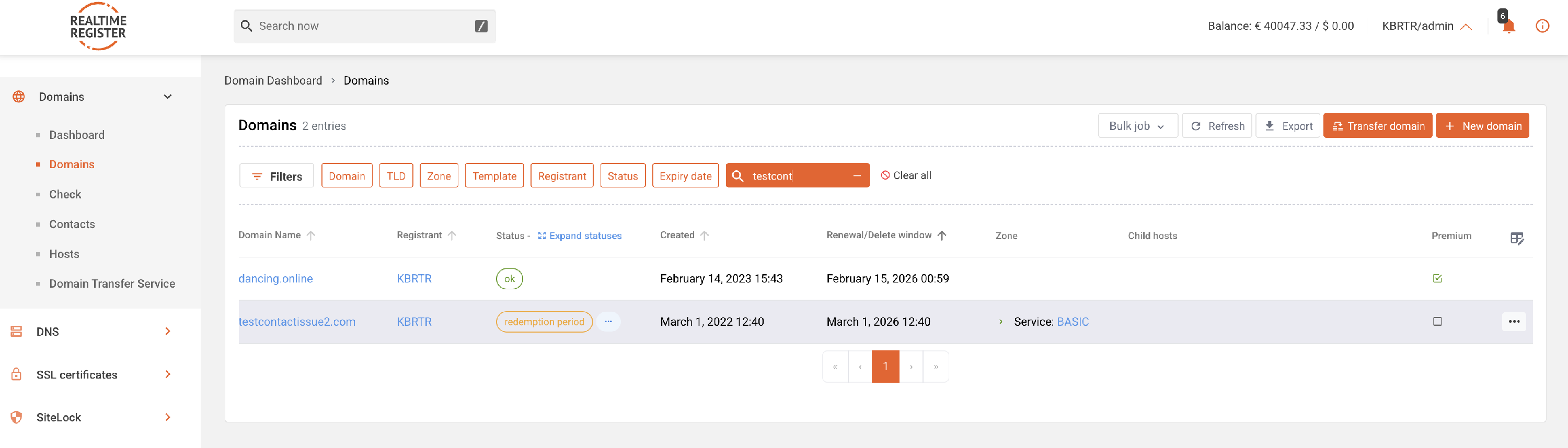
- Lookup the domain you want to restore.
- 2
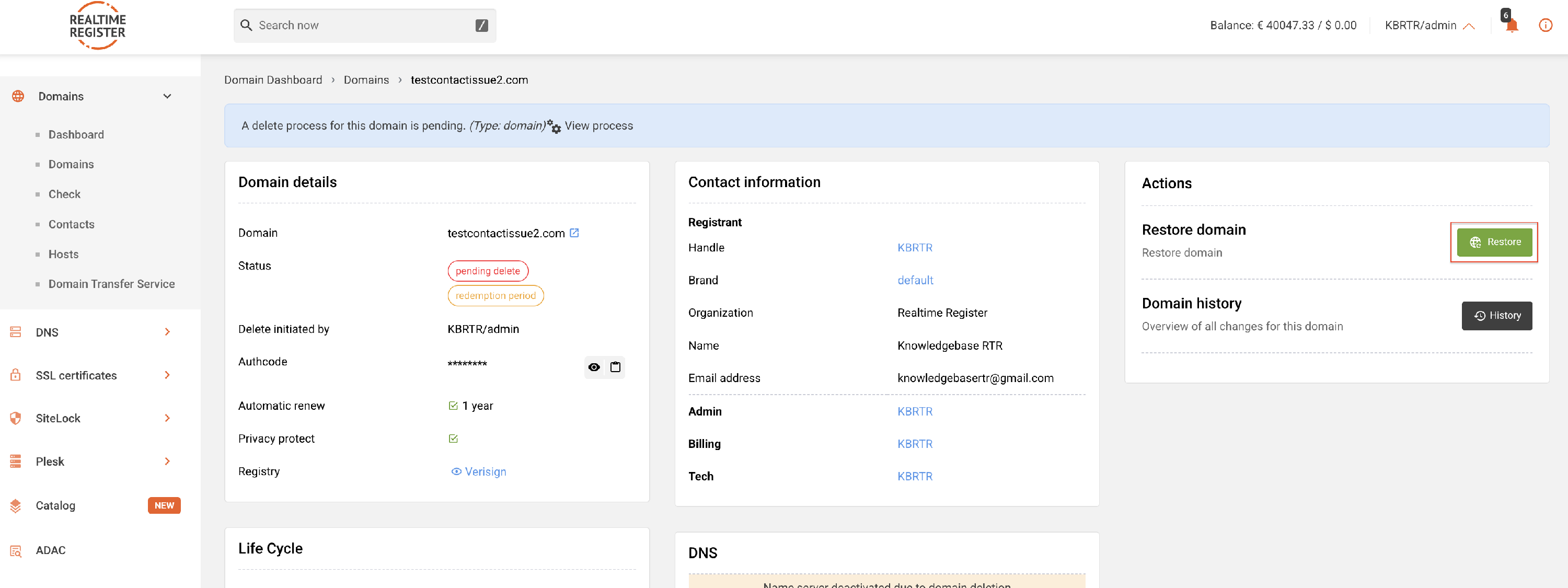
- Click the Restore button on the domain detail page.
- 3
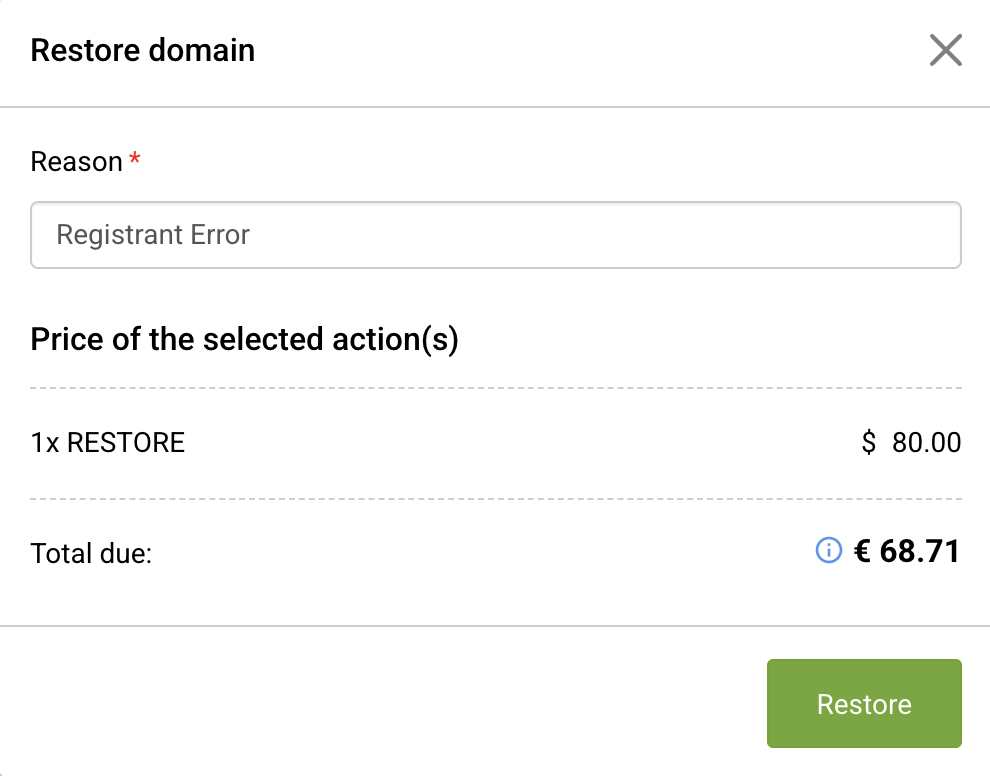
- Click the Restore button to confirm the restore.
- 4
-
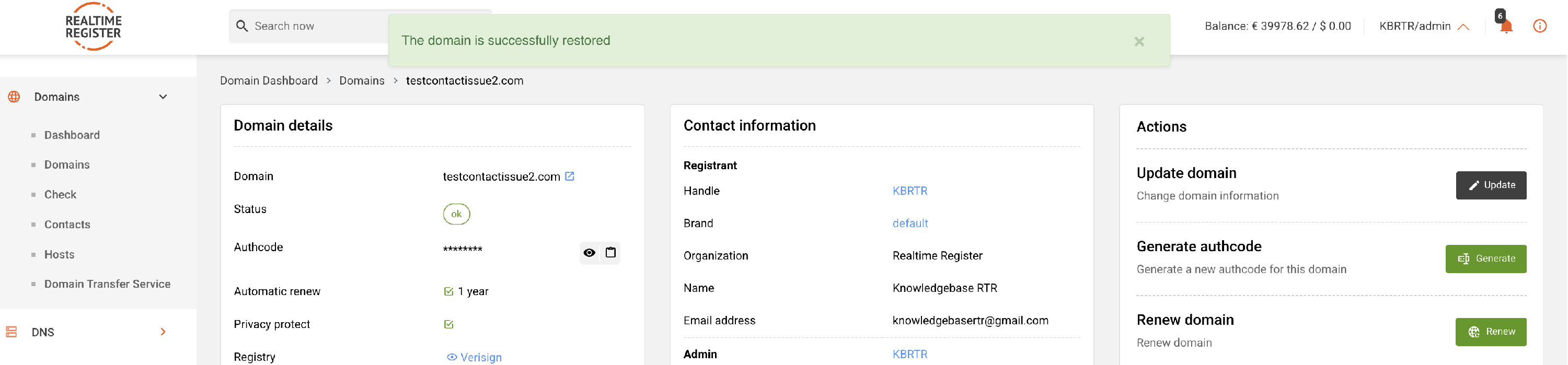
A success message is displayed. The restore request has now been submitted.
ℹ️ Not all restores complete instantly, some have longer processing times. If a restore is requested successfully and remains suspended for longer than 24 hours, contact support for more information.
- 5
-
Check whether a renewal is required after the restore.
⚠️ Not all TLDs include a renewal in the restore. More information on renewal behaviour during restore actions can be found in our TLD-metadata.
- 6
- Once the restore and any required renewal have been completed, the domain becomes active again.